
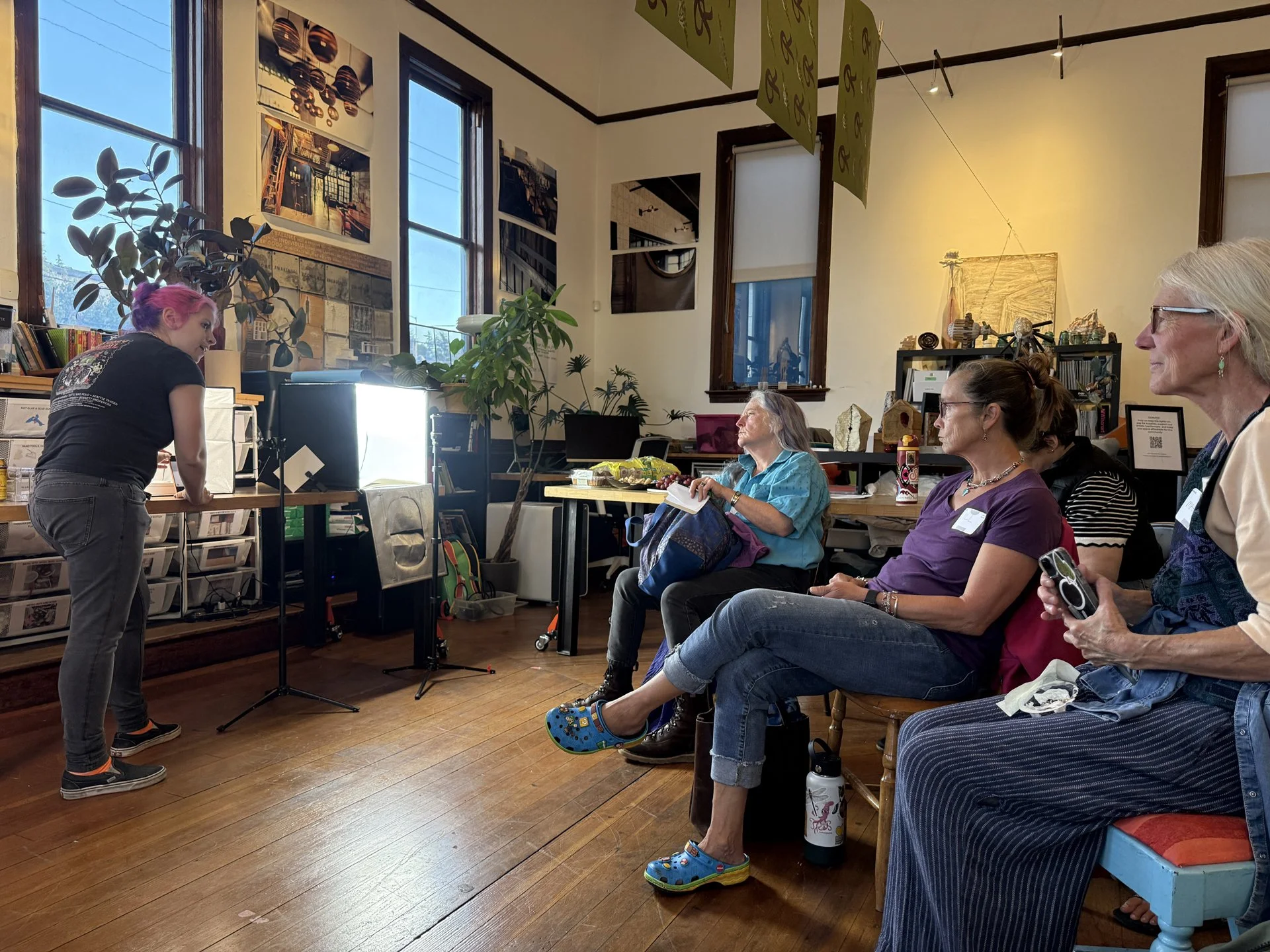
Members at the September Metals Mixer led by Nina Hartman
Photographing Your Work
Seattle Metals Guild | Tuesday, September 22, 2026 | Hosted by Nina Raizel Hartman, Metals Mixer CoordinatorThis page and the written guide are for Seattle Metals Guild members. Sign in below to open the guide.
About this session
We met in a Seattle studio with lightboxes, lighting, backdrops and photography tools set out, and members brought their own work to photograph. Nina Raizel Hartman led a hands-on demonstration of what a phone can do, and Christen Coomer showed a dedicated camera setup alongside it so people could see where the extra equipment does and does not earn its keep.
Most of the evening was people shooting their own pieces and comparing results, which is where the useful arguments happened: a light box is the right tool for polished metal and the wrong one for an oxidized surface, getting closer beats buying anything, and a ten-dollar grey card fixes more problems than a new camera.
Several members brought problems we worked on together, including a faceter whose stones are cut in shapes that cannot be read from a single viewpoint. Those questions shaped the written guide, which now answers them.
What the guide covers
Setting up a pre-lit light box, and knowing when not to use one. Phone settings side by side for iPhone and Android, including which lens to force and why zooming is not cropping. The grey card, and why metal needs one more than any other subject. Backgrounds: white, graduated, base reflection and black. Editing, in the order that saves you from redoing it, and where AI tools cross from correcting a photograph into altering the object. The difference between a jury image and a selling image, with the specs members actually submit to. Difficult surfaces: mirror polish, oxidized and matte work, faceted stones, pearls, enamel, anodized titanium. Video, including process footage at the bench. When hiring a photographer makes sense and what to ask for. Focus stacking and pixel shift, if you are curious about the step up. And a checklist at the end you can work straight from.
It also carries examples shot by members on the night, with the setup noted for each, and images shared by Halstead Jewelry Supplies.
Add to it
The guide is a living document and we would welcome corrections, techniques we missed, and example images with a note on how you shot them. Materials we handle thinly and would like help with: enamel, anodized work, resin, mixed media, and large or wall-mounted pieces. Contributors are credited.
The guide
Written after the mixer and updated since. The contents page links to each section, so you can jump to what you need. Prices and app recommendations date quickly; check anything before you buy.
Resources
Berman's guide is free, written with a committee of curators, gallerists and artists, and is the reference most jurors in our field have internalized. Download it and keep it.
Neither is written for jewelry. Translate as you read: their soft light is your light box, their hard light is a small bare lamp raked from the side.
Klimt02 is thousands of makers' own images side by side, which is close to how a juror sees them.
Samsung owners already have Pro mode and Expert RAW and need no camera app.
Thank you
Thank you to Nina Raizel Hartman for leading the demonstration and organizing the evening, and to Rhina for her support in making it run. Thanks also to the members who shared photographs for the guide, and to Sylvie Alusitz at Halstead Jewelry Supplies for permission to use hers as examples of styled photography.
Get in touch
Christen Coomer is at president@seattlemetalsguild.org. If you try something from the guide and it does not work, or you have a photograph and a setup worth adding, send it along.